
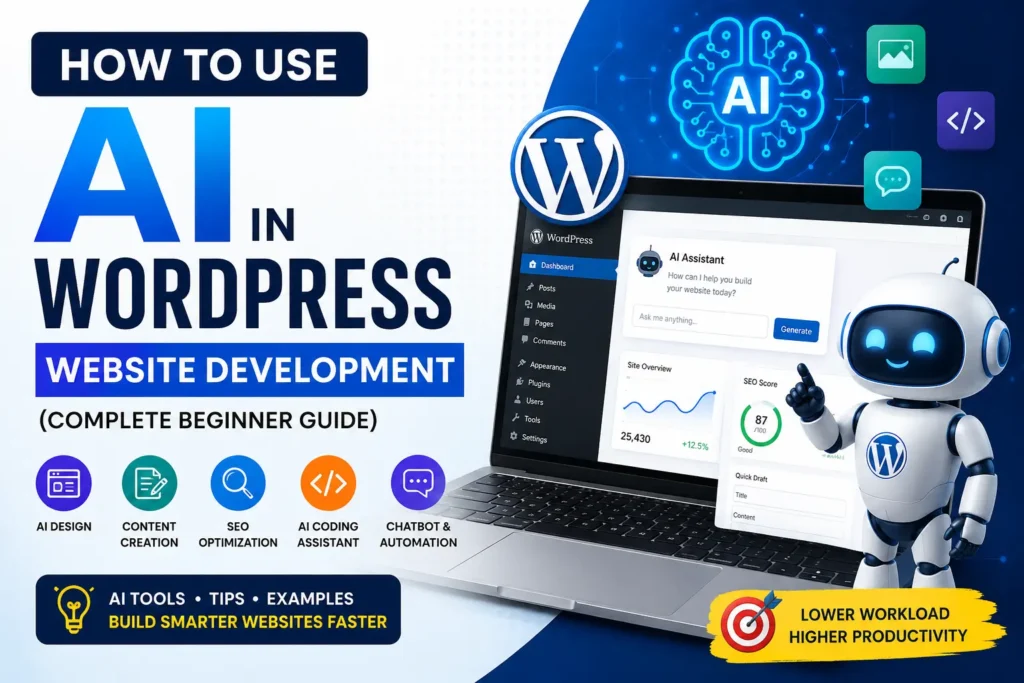
How to Use AI in WordPress Website Development (Complete Beginner Guide)
rsbloggers • June 5, 2026
Overview
Artificial Intelligence (AI) is changing the way websites are created and managed. From writing content to improving SEO and generating code, AI tools are helping developers, bloggers, and business owners save time and work more efficiently.
If you are using WordPress, AI can help you automate many tasks such as content creation, website design, customer support, image generation, SEO optimization, and even coding.
In this guide, you will learn how to use AI in WordPress website development step-by-step, even if you are a beginner.
What is AI in WordPress Development?
AI in WordPress development means using artificial intelligence tools and plugins to automate tasks and improve website performance.
These AI tools can help you:
- Generate blog content
- Create images
- Improve SEO
- Build layouts
- Generate code snippets
- Create chatbots
- Optimize website speed
- Detect security threats
Today, many WordPress developers use tools like ChatGPT, Gemini, Claude, and AI-powered plugins to build websites faster.
Benefits of Using AI in WordPress
Before using AI tools, it is important to understand their benefits.
1. Saves Development Time
AI tools can generate code, suggest layouts, and automate repetitive tasks. This reduces manual work and speeds up website development.
2. Improves SEO
AI SEO tools help optimize content, generate meta descriptions, improve readability, and suggest keywords.
You can also read:
“How to Get WordPress Post Data Using a WordPress Custom Query with tax_query and meta_query”
3. Better Content Creation
AI writing tools help bloggers create article drafts, headings, outlines, and FAQs quickly.
4. Enhances User Experience
AI chatbots and recommendation systems improve customer engagement and website interaction.
5. Reduces Costs
Small businesses can automate many tasks without hiring large teams.
Best AI Tools for WordPress Website Development
Here are some popular AI tools that work well with WordPress.
1. ChatGPT
OpenAI ChatGPT helps developers generate:
- Custom WordPress code
- Plugin functions
- SEO content
- CSS styling
- JavaScript snippets
- Troubleshooting solutions
Example use cases:
- Create custom shortcodes
- Generate Elementor widgets
- Build custom WordPress plugins
2. Rank Math AI
Rank Math provides AI-powered SEO suggestions for:
- Meta titles
- Descriptions
- Focus keywords
- Content optimization
It is useful for improving on-page SEO in WordPress.
3. Elementor AI
Elementor AI helps create:
- Website layouts
- AI-generated text
- CSS code
- Images
- Custom HTML
If you already use Elementor, this can speed up your design workflow.
4. Jasper AI
Jasper is mainly used for content writing and marketing automation.
It can generate:
- Blog posts
- Product descriptions
- Email content
- Landing page copy
How to Use AI for WordPress Website Design
AI tools can simplify the design process significantly.
Generate Website Layouts
Many AI builders now generate complete layouts based on your business type.
For example:
- Blog websites
- Portfolio websites
- Business websites
- eCommerce stores
You only need to provide:
- Business name
- Website category
- Color preference
- Required pages
AI automatically creates sections and layouts.
Create AI Images for WordPress
AI image generators can create:
- Blog featured images
- Website banners
- Icons
- Social media graphics
Popular AI image tools:
- Midjourney
- DALL·E
- Canva AI
Optimized images improve website engagement and SEO performance.
How to Use AI for Content Writing in WordPress
Content writing is one of the biggest uses of AI today.
However, you should never publish fully AI-generated content without editing.
Instead, use AI for:
- Research
- Blog outlines
- Topic ideas
- FAQs
- Meta descriptions
Then manually improve the content with your own experience and examples.
This creates more natural and human-friendly articles.
AI Content Writing Workflow
Here is a simple workflow many bloggers follow:
Step 1: Generate Blog Outline
Use AI to generate:
- Headings
- Subheadings
- FAQs
Step 2: Research Keywords
Use tools like:
- Google Keyword Planner
- Ahrefs
- SEMrush
Step 3: Write Human Content
Add:
- Real examples
- Personal experience
- Case studies
- Screenshots
Step 4: Optimize SEO
Use AI SEO tools for:
- Readability
- Meta tags
- Keyword placement
How to Use AI for SEO in WordPress
SEO is another area where AI is highly useful.
AI SEO tools can:
- Find keyword opportunities
- Suggest internal links
- Optimize headings
- Improve readability
- Detect SEO errors
You may also like:
“Best AI Plugins for WordPress in 2026”
Internal Linking with AI
AI tools can analyze your content and suggest related articles for internal linking.
For example:
- Link plugin tutorials together
- Connect SEO articles
- Connect WordPress development guides
Internal linking improves:
- User engagement
- Page views
- SEO ranking
Example internal links for your website:
- WordPress Custom Query Tutorials
- Elementor Widget Development Guides
- WordPress Security Plugin Tutorials
Using AI for WordPress Coding
AI coding assistants are becoming popular among developers.
You can use AI for:
- Writing plugin code
- Creating shortcodes
- Debugging errors
- Generating CSS
- Creating AJAX functions
- Writing REST APIs
For example, developers can ask AI to:
- Create a secure login system
- Build Elementor widgets
- Generate custom post type code
This reduces development time significantly.
Example: AI Generated WordPress Function
Here is a simple example where AI helps generate a shortcode:
<?php
function custom_current_year() {
    return date('Y');
}
add_shortcode('current_year', 'custom_current_year');
This shortcode displays the current year anywhere in WordPress.
AI Chatbots for WordPress
AI chatbots improve customer support and engagement.
Popular chatbot tools:
- Tidio AI
- ChatBot
- Crisp AI
These bots can:
- Answer FAQs
- Collect leads
- Guide visitors
- Provide support
Chatbots reduce manual customer support work.
AI for Website Security
AI-powered security tools can detect:
- Spam attacks
- Malware
- Suspicious logins
- Bot traffic
Security plugins with AI features help protect WordPress websites from modern threats.
This is especially useful for:
- Membership websites
- eCommerce stores
- Large blogs
Common Mistakes to Avoid While Using AI
Many beginners rely too much on AI. This can hurt SEO and content quality.
Avoid these mistakes:
1. Publishing Raw AI Content
Always edit and humanize AI-generated text.
2. Ignoring SEO Basics
AI tools help, but proper SEO structure is still important.
3. Overusing Keywords
Do not stuff keywords unnaturally.
4. Using Duplicate AI Content
Google prefers unique and valuable content.
Tips to Make AI Content Look Natural
Here are some effective methods:
- Add personal experience
- Use real examples
- Add screenshots
- Write conversationally
- Use short paragraphs
- Add FAQs
- Include updated information
Human-edited content performs much better than raw AI text.
Future of AI in WordPress Development
AI will continue transforming WordPress development.
Future improvements may include:
- Automatic website creation
- AI-generated themes
- AI-powered SEO automation
- Smart content recommendations
- Voice-based website editing
Developers who learn AI tools early will have a major advantage.
Final Thoughts
AI is making WordPress website development faster, smarter, and more efficient. Whether you are a blogger, developer, or business owner, AI tools can help improve productivity and website performance.
However, the best results come when AI is combined with human creativity and real experience.
Use AI as an assistant — not a complete replacement.
By combining AI tools with proper SEO strategies and quality content, you can build better WordPress websites and grow your online presence faster.
FAQs
Is AI good for WordPress website development?
Yes, AI helps automate tasks like content writing, SEO optimization, coding, and design.
Can AI create a complete WordPress website?
AI can generate layouts and content, but human customization is still important for better results.
Which AI tool is best for WordPress?
Popular tools include ChatGPT, Elementor AI, Rank Math AI, and Jasper AI.
Does Google penalise AI content?
Google does not penalize AI content directly, but low-quality or spammy content can lose rankings.
Can beginners use AI in WordPress?
Yes, beginners can use AI tools for writing, SEO, design, and website management easily.