
WP_Query Tutorial Step by Step (Beginner to Advanced Guide)
rsbloggers • May 1, 2026
Introduction
If you’re working with WordPress development, sooner or later, you’ll come across something called WP_Query. It’s one of the most powerful tools in WordPress, allowing you to fetch and display posts exactly the way you want.
But let’s be honest—when you first look at WP_Query, it can feel confusing. Arrays, parameters, loops… It’s not very beginner-friendly.
Don’t worry. In this step-by-step tutorial, I’ll explain WP_Query in a simple, practical, and real-world way so you can actually use it in your projects—whether you’re building custom themes, plugins, or Elementor widgets.
What is WP_Query?
WP_Query is a WordPress class used to fetch posts from the database based on specific conditions.
In simple terms:
It helps you control what content you show on your website.
For example:
- Show latest posts
- Show posts from a specific category
- Show featured posts
- Show custom post types
- Show posts by author
Instead of relying on default WordPress loops, WP_Query gives you full control.
Why Use WP_Query?
You might be thinking—WordPress already shows posts, so why use WP_Query?
Here’s why:
1. Custom Layouts
You can display posts anywhere—not just blog pages.
2. Dynamic Content
Perfect for:
- Sliders
- Grids
- Custom sections
3. Advanced Filtering
Filter posts by:
- Category
- Tags
- Date
- Meta fields
- Custom taxonomy
4. Performance Control
You can limit queries to only what you need.
Basic Structure of WP_Query
Let’s start with the simplest example:
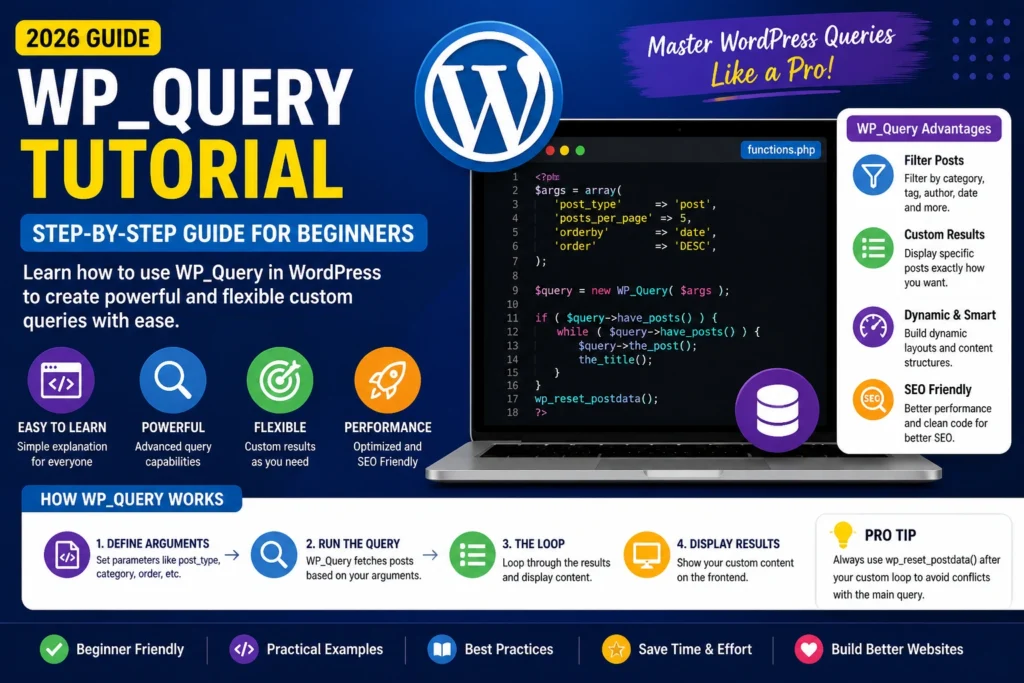
<?php
$args = array(
    'post_type' => 'post',
);

$query = new WP_Query($args);

if ($query->have_posts()) {
    while ($query->have_posts()) {
        $query->the_post();
        the_title();
    }
}

wp_reset_postdata();
Breakdown:
$args→ Query parametersnew WP_Query()→ Create queryhave_posts()→ Check if posts existthe_post()→ Loop through postswp_reset_postdata()→ Reset after custom loop
Step-by-Step Example
Let’s build something real.
Step 1: Fetch Latest 5 Posts
<?php
$args = array(
    'post_type' => 'post',
    'posts_per_page' => 5,
);
Step 2: Loop Through Posts
<?php
$query = new WP_Query($args);

if ($query->have_posts()) {
    while ($query->have_posts()) {
        $query->the_post();
        echo '<h2>' . get_the_title() . '</h2>';
    }
}
Step 3: Reset Query
<?php

wp_reset_postdata();
Important WP_Query Parameters
Here are the most commonly used parameters you must know:
1. post_type
<?php
'post_type' => 'post'
You can use:
- post
- page
- custom post type
Example:
<?php
'post_type' => 'product'
2. posts_per_page
<?php
'posts_per_page' => 10
Controls the number of posts.
3. order & orderby
<?php

'orderby' => 'date',
'order'   => 'DESC'
Other options:
- title
- rand
- menu_order
4. category_name
<?php
'category_name' => 'news'
Fetch posts from specific category.
5. tag
<?php
'tag' => 'wordpress'
6. author
<?php
'author' => 1
7. post__in (Specific Posts)
<?php
'post__in' => array(1, 5, 9)
Example: Show Posts from Category
<?php
$args = array(
    'post_type' => 'post',
    'category_name' => 'blog',
    'posts_per_page' => 3,
);

$query = new WP_Query($args);
Example: Custom Post Type Query
<?php
$args = array(
    'post_type' => 'portfolio',
    'posts_per_page' => 6,
);

$query = new WP_Query($args);
Perfect for:
- Projects
- Services
- Testimonials
Using WP_Query with Meta Fields
This is where WP_Query becomes really powerful.
Example: Filter by Custom Field
<?php
$args = array(
    'post_type' => 'post',
    'meta_query' => array(
        array(
            'key' => 'featured',
            'value' => 'yes',
            'compare' => '='
        )
    )
);
Using Taxonomy Query
<?php
$args = array(
    'post_type' => 'post',
    'tax_query' => array(
        array(
            'taxonomy' => 'category',
            'field'    => 'slug',
            'terms'    => 'news',
        ),
    ),
);
Pagination with WP_Query
<?php
$paged = get_query_var('paged') ? get_query_var('paged') : 1;

$args = array(
    'post_type' => 'post',
    'paged' => $paged,
);

$query = new WP_Query($args);
Display Pagination Links
<?php
echo paginate_links(array(
    'total' => $query->max_num_pages
));
Final Thoughts
WP_Query is one of the most important tools in WordPress development. Once you understand it, you can build:
- Dynamic websites
- Custom layouts
- Advanced filtering systems
- High-performance themes
At first, it might look complex—but once you start using it in real projects, it becomes second nature.
FAQs
What is WP_Query used for?
It is used to fetch and display posts based on custom conditions.
Is WP_Query better than query_posts?
Yes, WP_Query is the recommended and safe method.
Can I use WP_Query in plugins?
Yes, it works in themes, plugins, and custom widgets.
Does WP_Query affect performance?
Yes, but only if used incorrectly. Optimize queries properly.
Conclusion
If you’re serious about WordPress development, mastering WP_Query is non-negotiable.
Start with simple queries, experiment with parameters, and gradually move to advanced use cases like meta queries and taxonomy filters.
Once you gain confidence, you’ll be able to build highly dynamic and professional WordPress websites.